Cinema 4D: Grow Effect Tutorial

In this tutorial, VideoFort Don demonstrate how to create a growing effect using Cinema 4D. The objects that he uses in this tutorial are all created in Cinema 4D. He starts of by adding a cube object to the composition. Next, select “Cloner” ...

Cinema 4D: Breaking Objects Tutorial

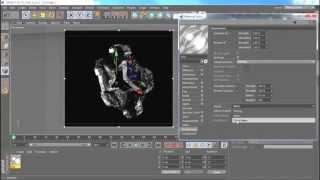
In this video tutorial, VideoFort Don demonstrates how to break a 3D object without using a third party plug-in using Cinema 4D. By the end of this tutorial, you will learn how to create a 3D breaking object using a 3D space . VideoFort Don starts off by ...

After Effects Tutorial: Simple Energy Blast

In this tutorial VideoFort Don shows you how to create a blast effect using motion graphics in After Effects. Start out by making a new comp, VideoFort Don chose a comp size setting of 960 by 540. Then you are going to create a white solid the comps size,...

After Effects: Human Eye VFX

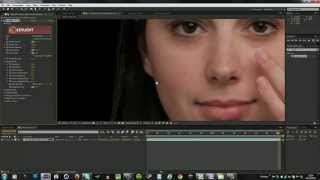
In this tutorial VideoFort Don shows you how to track 2D Element onto an eye. In the first step you need to find a good spot to track, VideoFort Don chose a shadow on the eye that stayed consistent through the shot. If the track slips you can tweak the tr...

Cinema 4D: Model a Soccer Ball

Learn how to turn a platonic shape into a soccer ball using Cinema 4D. Start out by creating a platonic shape and setting its type to Bucky. From there you need to get rid of the line separating the polygons into halves. To do that select each polygon ind...

Cinema 4D: Light Flicker Effects

Learn how to create a flickering text effect using Cinema 4D. VideoFort Don shows you how to create flickering text by creating a text layer and dropping it into extrude NURBS. From there you duplicate the text, create a circle (approximate radius 2 cm), ...

Cinema 4D: Speed Up & Slow Down

VideoFort Don shows us how to make a group of spheres explode, slow down, then return to speed. Start out by setting a floor and sphere in a new project, from there you clone the sphere into a grid and put a random effector on it to make it less uniform. ...
After Effects: How to Pull a Green Screen

In this VideoFort.com After Effects tutorial VideoFort Jon shows you how to remove a green screen using After Effect built in Key Light. With the green screen footage selected, choose KeyLight from the Effects, Keying drop down menu. From there use the ey...

Cinema 4D: Multiple Cameras

In this http://www.VideoFort.com Cinema 4D tutorial VideoFort Don shows you how to create a scene using multiple cameras. Three cameras are set up, each aimed at its associated number. The goal here is to switch between the different cameras during the vi...